Brochures That Help Explain, Promote, and Sell Your Business
Professionally printed brochures give your customers something clear, organized, and memorable to take with them — perfect for services, menus, events, real estate, product information, and business promotions.
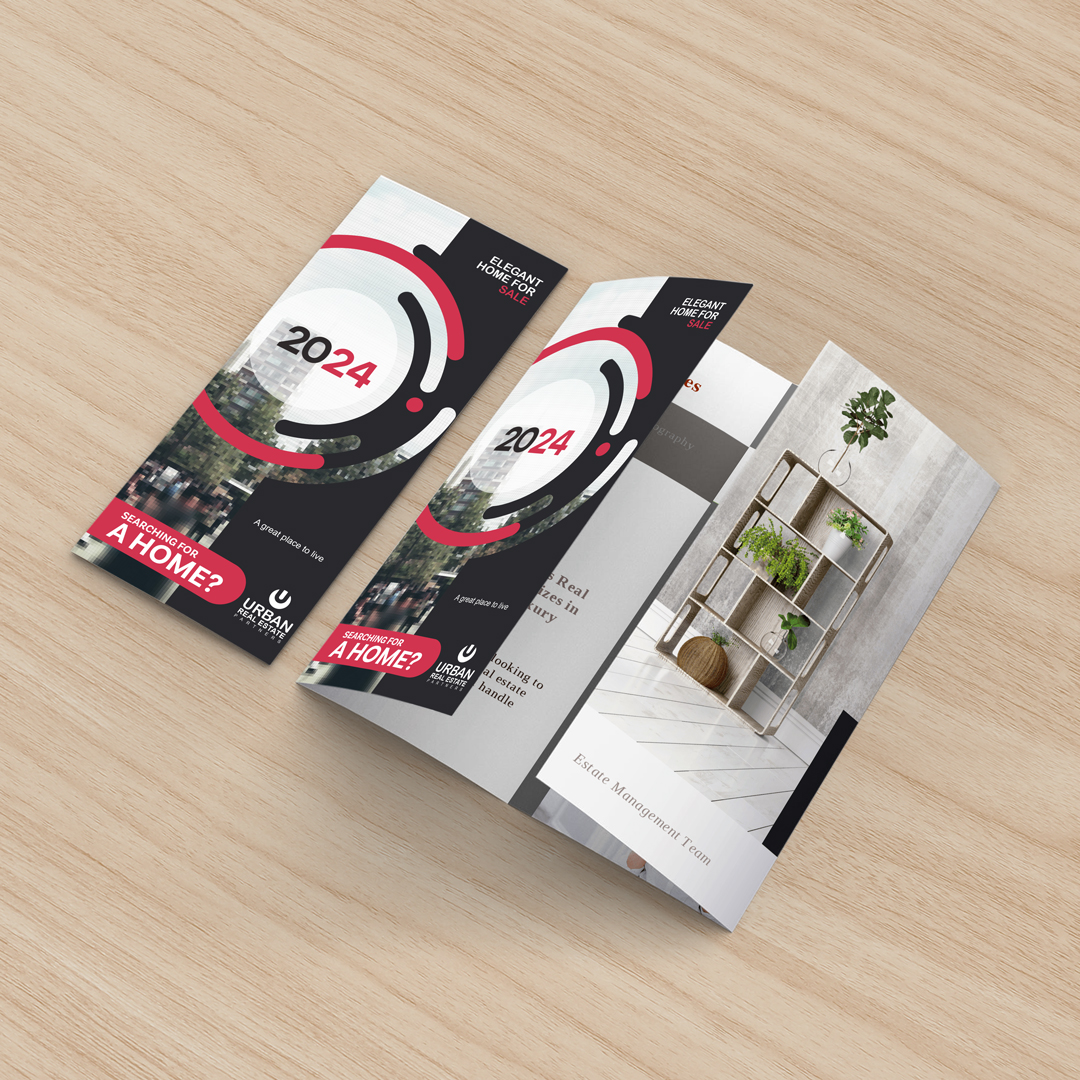
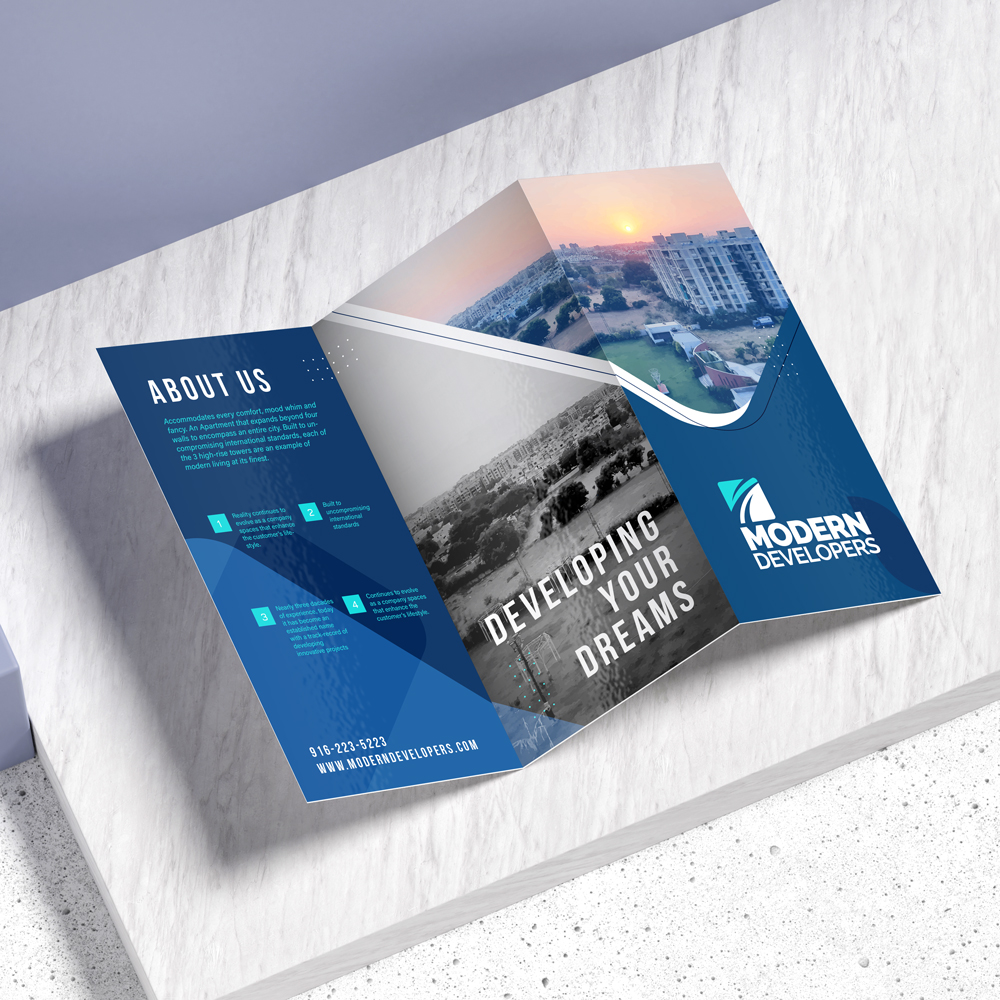
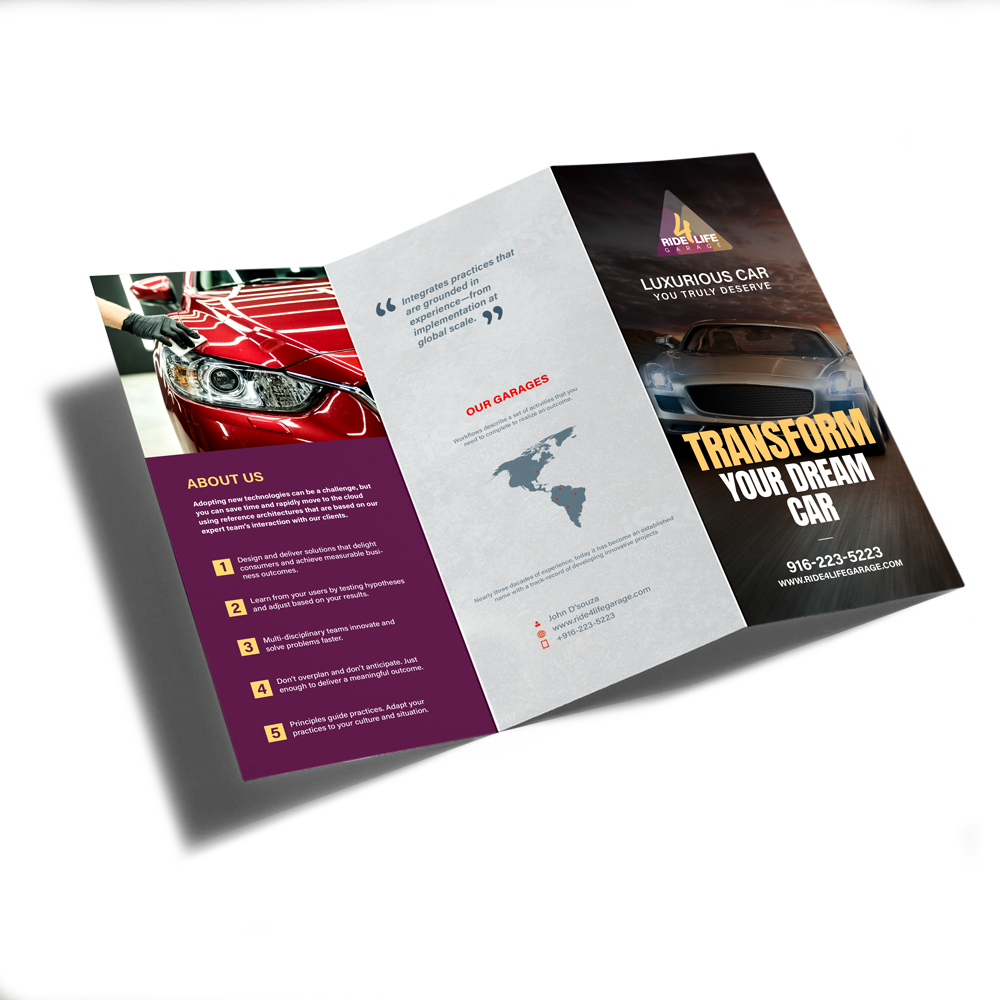
Real World Brochure Examples
Choose the Size, Fold, and Paper That Fits Your Message
Brochures are one of the easiest ways to organize your offer, explain your services, show product details, promote an event, or give customers a professional takeaway.
Popular Sizes
- 6" x 9"
- 8.5" x 11"
- 8.5" x 14"
- 9" x 12"
- 11" x 17"
Print Options
- Full color both sides
- Great for photos, service menus, offers, and product details
- Professional finish for customer-facing materials
Pricing
Quote-based pricing
Brochure pricing depends on size, paper stock, fold type, quantity, coating, artwork readiness, and turnaround needs.
Request a QuoteBrochures Work Best When You Need to Explain More
If a business card is too small and a flyer is too simple, a brochure gives you room to explain the value clearly.
Service Businesses
Perfect for explaining what you offer, showing service packages, answering common questions, and giving prospects a professional leave-behind.
Real Estate & Property
Great for property features, agent introductions, open houses, home service partners, and neighborhood information.
Restaurants & Menus
Use brochures for takeout menus, catering menus, seasonal offers, event menus, and promotional handouts.
Events & Fundraisers
Use brochures to explain sponsorships, event schedules, donor levels, programs, team info, and promotional packages.
Medical, Wellness & Professional Services
Helpful for explaining services, procedures, care options, appointment steps, and patient/client education.
Sales & Product Information
Use brochures to compare options, show product benefits, explain pricing tiers, or guide customers toward the right choice.
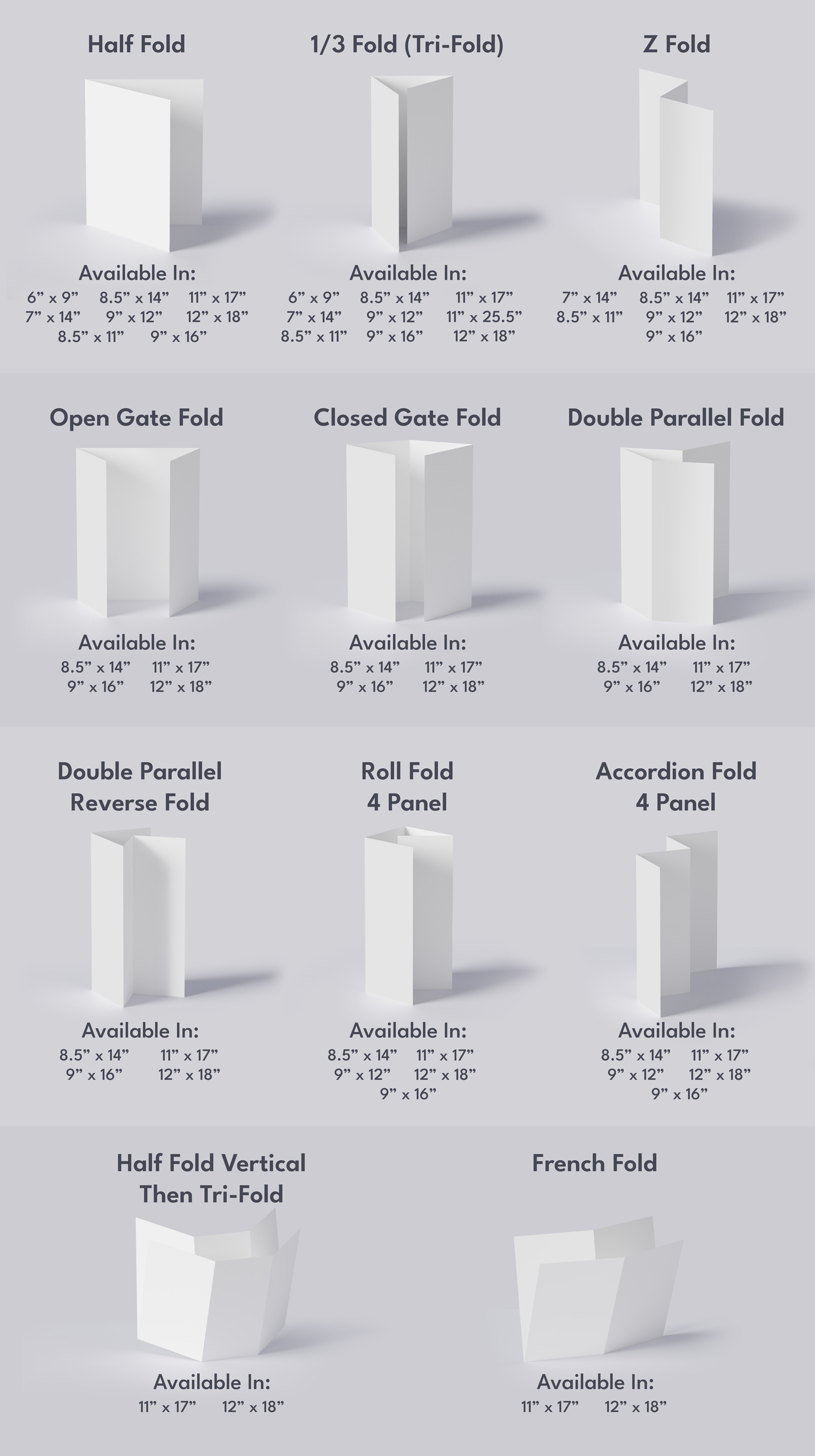
Pick the Fold That Matches the Way People Read Your Message
The right fold helps control the flow of information. Each panel should be clear, easy to follow, and organized around one main idea.
Half Fold
Simple, clean, and easy to read. Great for menus, programs, and basic information.
Tri-Fold
One of the most popular brochure styles. Great for service menus, company overviews, and sales materials.
Z-Fold
Good for step-by-step information, maps, process explanations, and sequential messages.
Open Gate Fold
Creates a more dramatic reveal. Good for premium offers, invitations, and visual-heavy pieces.
Closed Gate Fold
Great for presentations where the center message matters most. Avoid crossover text where panels meet.
Roll Fold
Useful when you have multiple panels of information that need to unfold in order.
Accordion Fold
Works well for timelines, event schedules, guides, menus, and multi-step information.
Double Parallel Fold
Good for larger brochures with more detailed information and multiple content sections.
French Fold
Creates a compact piece with a unique presentation style for special promotions.
Fold Options
Choose the Right Paper for the Look and Feel You Want
Gloss stocks help colors pop. Matte stocks create a softer, more professional look. Uncoated stocks are better when you want a more natural, writable feel.
100 lb. Gloss Book
Smooth, shiny, and damage resistant. Similar to a soft catalog cover.
100 lb. Gloss Cover
Flexible, sturdy, and great for vibrant colors. A thicker option for a more premium feel.
70 lb. Opaque Smooth White
Bright white, smooth, and uncoated. Compatible with laser and inkjet printers.
80 lb. Gloss Book
Lightweight yet durable. Good for vibrant colors with a flexible brochure feel.
100 lb. Matte Cover
Crisp white paper stock with a non-glossy, more subdued finish.
80 lb. Matte Text
A lighter matte option with a soft, clean, professional appearance.
Not Sure Which Brochure Setup Is Right?
That’s exactly why we quote these. We can help you choose the right size, fold, paper stock, and finish based on what you’re trying to accomplish.
- Use gloss if you want brighter colors and more visual pop
- Use matte if you want a softer, cleaner business look
- Use cover stock if you want a thicker, more premium feel
- Use book or text stock if you want a lighter brochure
- Use tri-fold for simple service menus and business overviews
Quick Paper Tips
- Cover means thicker card-style stock
- Book or text means lighter paper stock
- Gloss creates brighter color
- Matte creates a softer, non-glossy finish
- Uncoated is best when writing on the piece matters
Design Help Available
If you do not already have brochure artwork, we can help with layout, structure, messaging, and print-ready design.
- Panel layout
- Headline and offer structure
- Service or product organization
- Print-ready artwork setup
- Brand consistency across materials
A Brochure Is Only as Good as the Message Inside It
A brochure should not just look nice. It should help people understand what you offer, why it matters, and what to do next.
Brochure Artwork Guidelines
Sending print-ready artwork helps prevent delays and keeps your brochure looking sharp.
File Requirements
- Bleed: 0.125"
- Resolution: 350 DPI
- Color Mode: CMYK
- Max Upload Size: 75MB
Accepted File Formats
- TIF / TIFF
- EPS
- AI
- PSD
- BMP
- GIF
- JPG / PNG
Proofing
Proofing options may be available depending on the order. Files not built correctly can delay production, so we recommend checking artwork carefully before submitting.
A Few Things to Avoid Before Printing
Brochures have folds and panels, so layout matters more than most people realize.
Crowded Panels
Each panel should have a clear purpose. Don’t overload every section with too much text.
Wrong Fold Choice
The fold should match the way the reader moves through your information.
Text Across Folds
We do not recommend crossing important text or images across fold lines, especially on gate folds.
No Clear Next Step
Your brochure should tell people what to do next — call, scan, visit, book, order, or request a quote.
Frequently Asked Questions
Common questions about brochure printing.
Is brochure pricing listed online?
No. Brochure pricing is quote-based because size, paper stock, fold type, quantity, finish, and artwork needs can all affect the final price.
Do you have a minimum quantity?
Minimum quantities can depend on the paper, fold, and production setup. Request a quote and we’ll help determine the best option for your order.
Can you design the brochure for me?
Yes. We can help with layout, copy structure, panel organization, design cleanup, and print-ready artwork setup.
Can I upload my own artwork?
Yes. If your artwork is ready, you can upload it when requesting your quote. Make sure it follows the file setup guidelines.
What fold should I choose?
Tri-fold is the most common for general business use. Half fold works well for menus and programs. Z-fold and accordion fold work well for step-by-step information.
What color mode should my file be?
Use CMYK color mode for print files. RGB files may shift in color when printed.